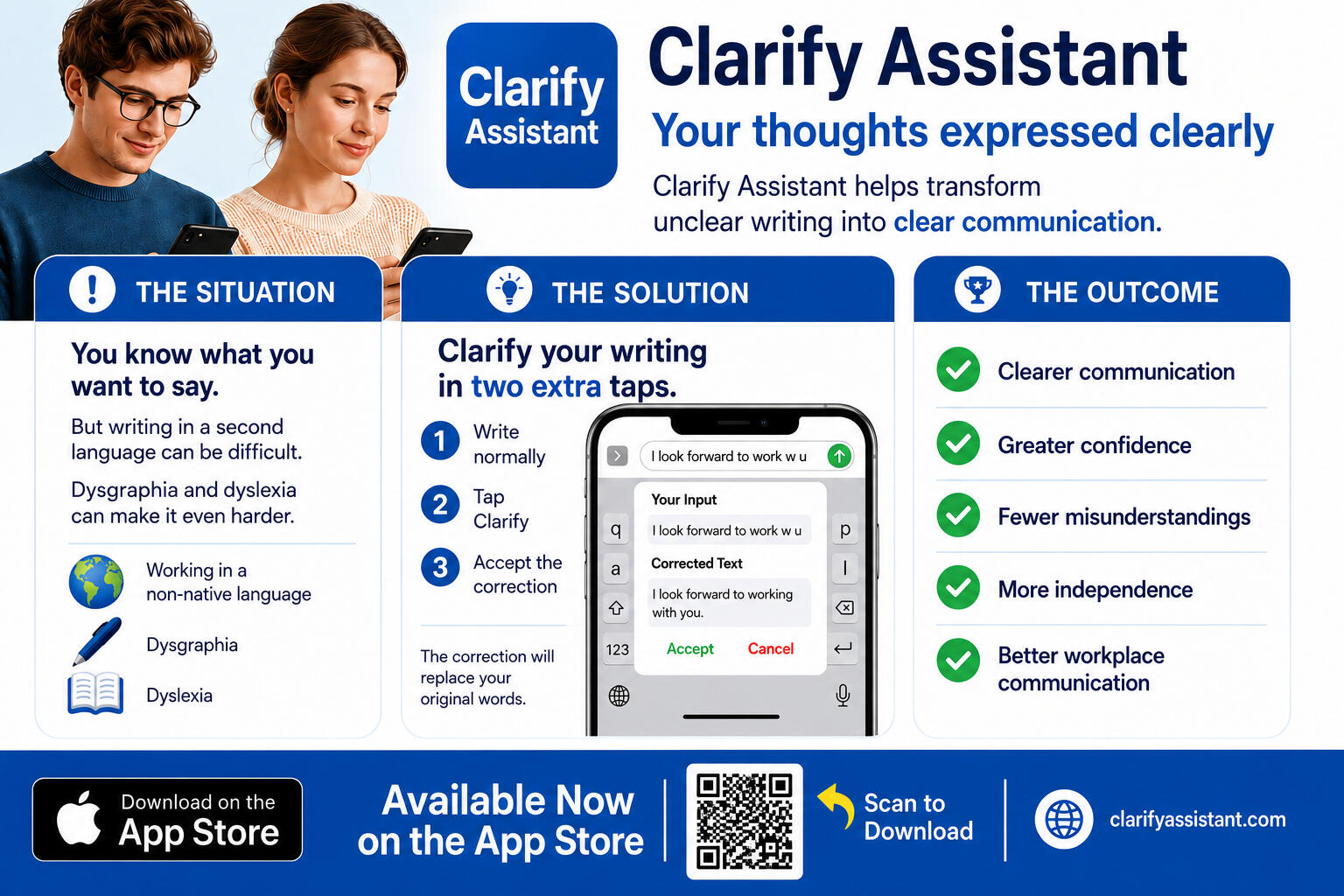
Clarify Assistant
Your words, dictated or typed, expressed clearly
Imagine a world where everybody can express themselves cleanly and professionally
Clarify Assistant allows you to use modern technology, so your thoughts are expressed appropriately
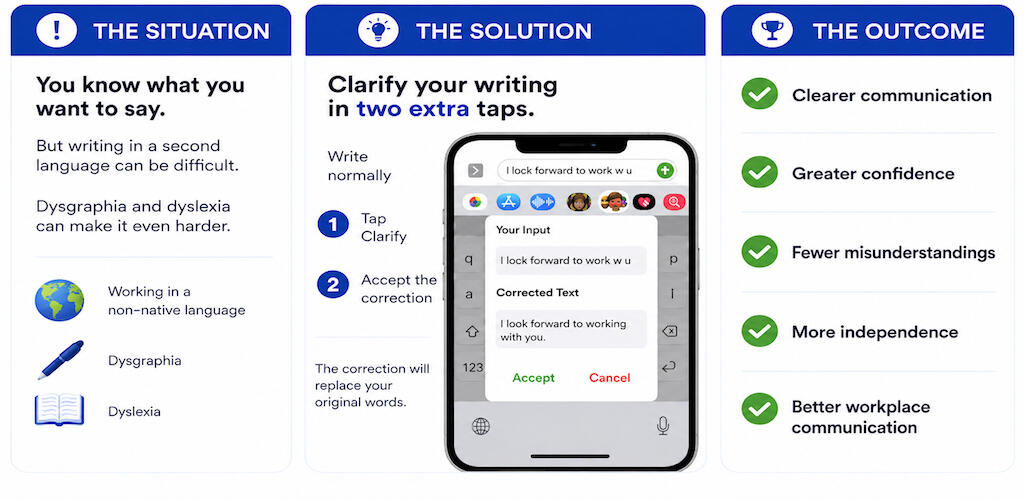
Many people have trouble expressing themselvesSome people are using an unfamiliar language
Others deal with dysgraphia or dyslexia
Many want help expressing their thoughts clearly
The Problem
Errors in typing, spelling, grammar, dictation, and written expression can make smart ideas look unclear.
The Remedy
Clarify Assistant has a custom keyboard for iPhone and iPad. It has one extra key: “Clarify”.It helps turn rough text into clearer text while preserving meaning.
Type or dictate a sentence
Tap the Clarify key
Review the correction
Tap Accept or CancelIf accepted, the corrected text replaces the original
Language Support
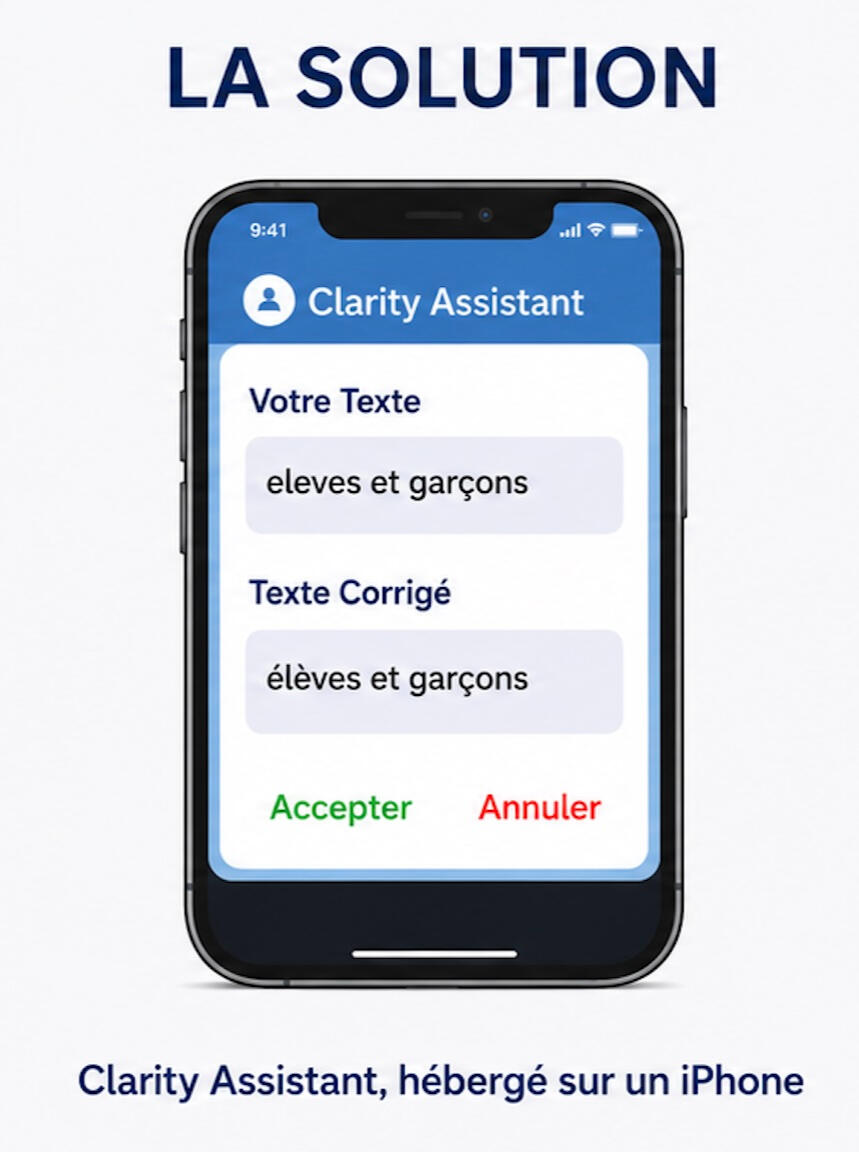
Clarify Assistant supports a wide variety of languages.Whatever language you clarify, the correction will be in that same language.For users whose preferred language is French, Clarify Assistant operates with a French keyboard and interface.
Apple allows up to six family members to share eligible App Store purchases
PrivacyClarify Assistant only sends text for clarification when you choose to use Clarify.
InstallationClarify Assistant has a custom keyboard that you need to install before you can use it
Designed and developed by Rick Heuft

© 2026 Copyright Clarify Assistant. All rights reserved.
Clarify Assistant for Android
Clarify Assistant is free for Android phones and tablets.
It provides a custom keyboard with a Clarify key that helps turn rough writing into clearer writing while preserving your meaning.Requirements: Android 8 or later.This application is provided directly by Clarify Assistant rather than through an app store. Android may ask whether you want to allow your browser to install this application.
Only download Clarify Assistant from clarifyassistant.com.
Android in Action
Click the square icon for full screen
Clarify Assistant Getting Started
Clarify Assistant Operation
iPhone and iPad in Action
Click the square icon for full screen
iPhone Operation
iPad Operation
iPad Dictation
Dictation on the iPad needs explanation
Version Française en Action
Si vous utilisez un clavier français, Clarify Assistant vous offre un fonctionnement en français
Cliquez ou double-cliquez pour afficher en plein écran
iPhone
iPad
Download On the App Store
Available for iPhones and iPads
Apple allows up to six family members to share eligible App Store purchases


Installation
To install your custom keyboard, follow the instructions on the welcome window that is displayed when you download the application or when you tap the Clarify Assistant icon.
Click the square icon for full screen
iPhone
iPhone Française
iPad
iPad Française
Contact Us
We appreciate your feedback
Privacy Policy — Clarify Assistant
Last updated: May 2026
Clarify Assistant is an iOS keyboard extension designed to help users express themselves clearly using assistive writing technology.
Information We Process
When you use the Clarify feature, the text you explicitly choose to clarify may be securely transmitted to remote services for processing and correction.Clarify Assistant does not intentionally collect:• Passwords
• payment information
• health information
• secure-field text
• protected password textiOS prevents custom keyboards from accessing secure password fields.
Full Access
Clarify Assistant requires Apple’s “Full Access” permission to:• communicate with remote correction services
• process clarification requests
• return improved text suggestionsWithout Full Access enabled, the remote clarification features will not function, and a message will be displayed.
Third-Party Services
Clarify Assistant may transmit clarification requests through:• Cloudflare Workers infrastructure
• OpenAI API servicesThese services are used solely to process clarification requests and improve text readability.
Data Usage
Clarify Assistant:• does not sell personal information
• does not use clarified text for advertising
• does not intentionally build personal user profiles
• does not intentionally store clarification history on external servers.
Security
Clarify Assistant uses encrypted HTTPS connections when communicating with remote services.
Your Choices
You may:• disable Full Access at any time in iOS Settings
• remove the keyboard extension
• uninstall the app entirely
Privacy Choices — Clarify Assistant
Clarify Assistant gives users control over how the keyboard extension operates.
Disable Full Access
To disable network access for Clarify Assistant:· Open iPhone or iPad Settings
· Go to: General → Keyboard → Keyboards
· Select: Clarify Assistant
· Turn OFF: Allow Full AccessWhen Full Access is disabled, clarification features will no longer function, and users will have a message displayed when trying to clarify.
Remove the Keyboard
To remove the keyboard extension entirely:· Open Settings
· Go to: General → Keyboard → Keyboards
· Tap Edit
· Remove Clarify Assistant
Delete the App
You may uninstall Clarify Assistant at any time from the Home Screen or App Library.
App Accessibility
Dark InterfaceVisit Settings -> Display and Brightness Screen. Select Dark.